 RepScript
KEEP A RECORD.
MAKE THE
NEXT PLAN.
Import your notes. Review a workout. Log your sets. Keep the history behind every lift.
TestFlight beta coming soon · Beta details
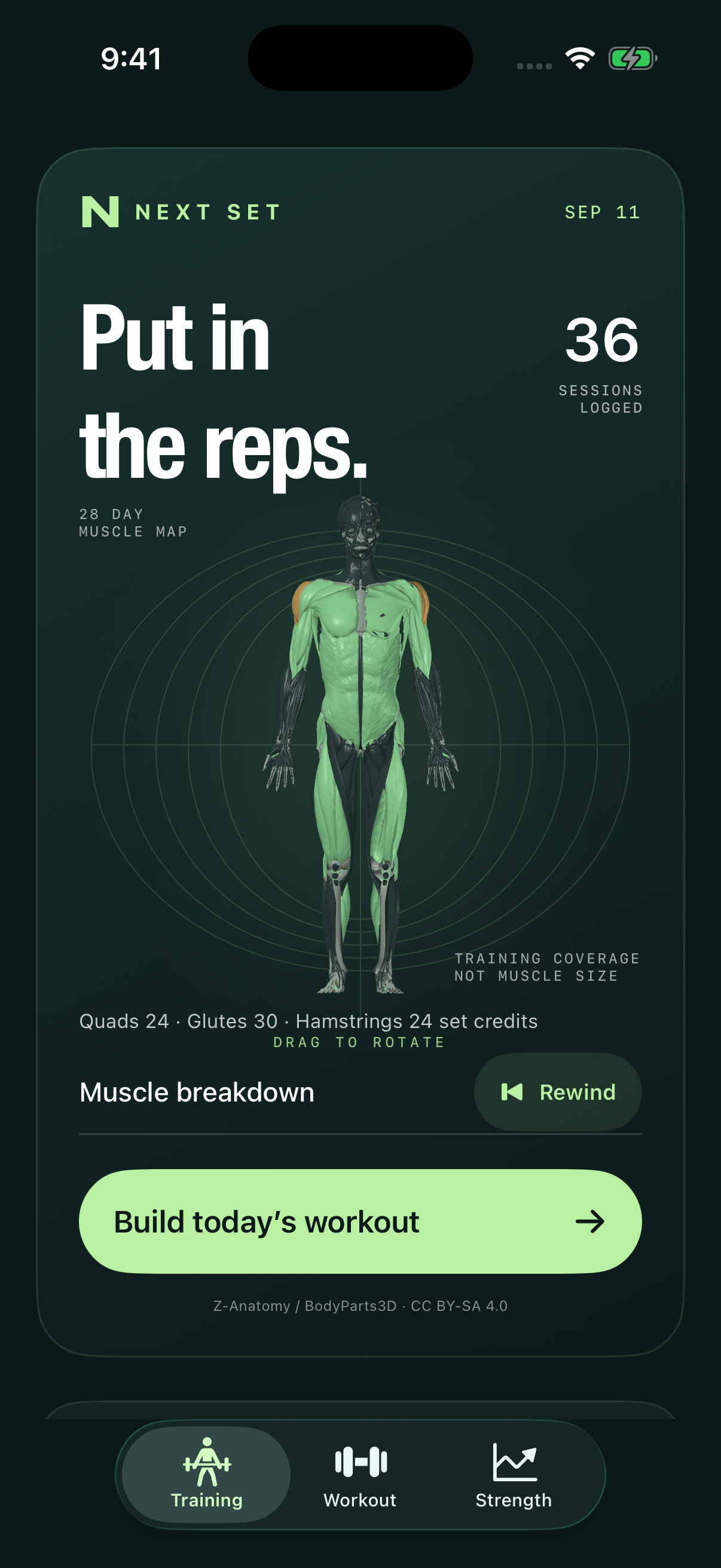
Captured in the iPhone simulator.
Turn it around.
Take a closer look.
The same anatomy model you’ll find in the app. Rotate it, switch muscle groups, or tap a muscle to zoom in.
The interactive model loads as you scroll here.
Whole body
Choose a muscle for a closer look.
Highlights show muscle groups. This website demo does not analyze your workouts. In the app, the map reflects your logged training coverage.
Anatomy: Z-Anatomy / BodyParts3D · hpfrei · CC BY-SA 4.0. Attribution & adaptations · Model data · Mesh index · Conversion source.
From “what did I lift?”
to “what’s next?”
Three journeys through the current app. Tap any screen to see the details. Screenshots use fictional training data and an illustrative checklist. Some labels still show Next Set, the app’s previous name.
Keep your
old workouts.
Paste a workout or import a file. RepScript separates the exercises, sets, reps and loads. Review the result before it joins your history.
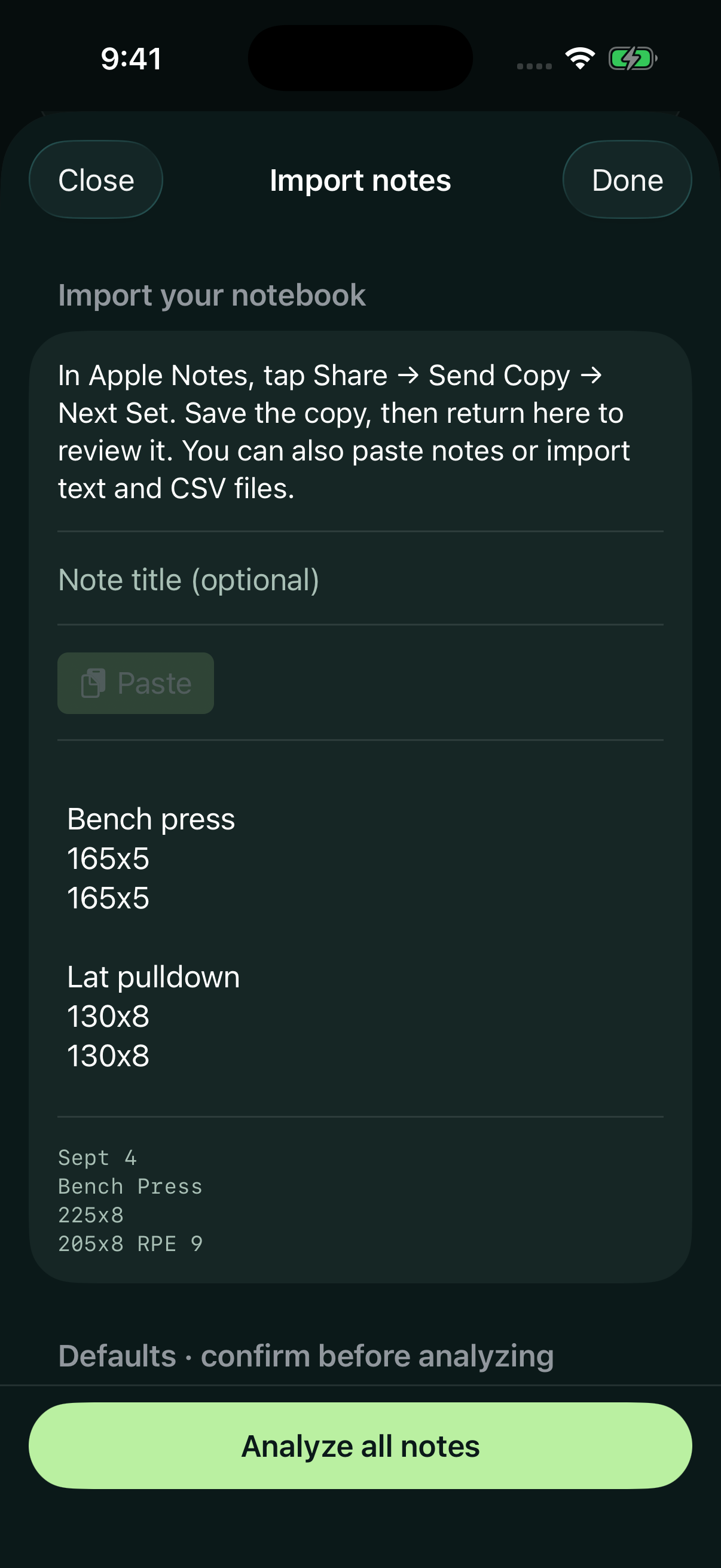
Bring what you wrote.
Paste your note. Text and CSV file imports are available too.
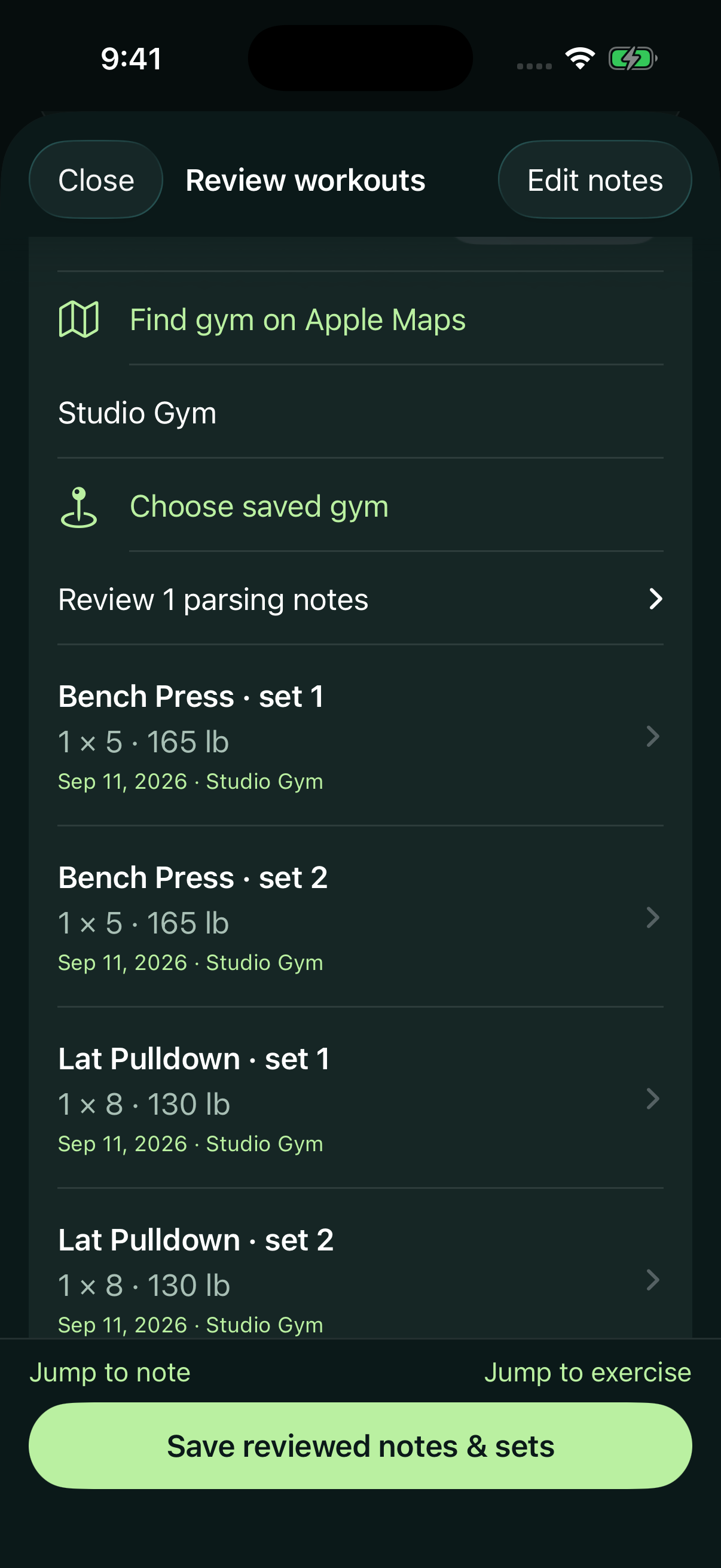
Check it. Save it.
Review the matched lifts, dates, units and sets before saving.
The plan can change.
The work still counts.
Choose your split and today’s constraints. The optional AI coach drafts an editable checklist. Keep, change or leave out exercises, then log the sets you complete.
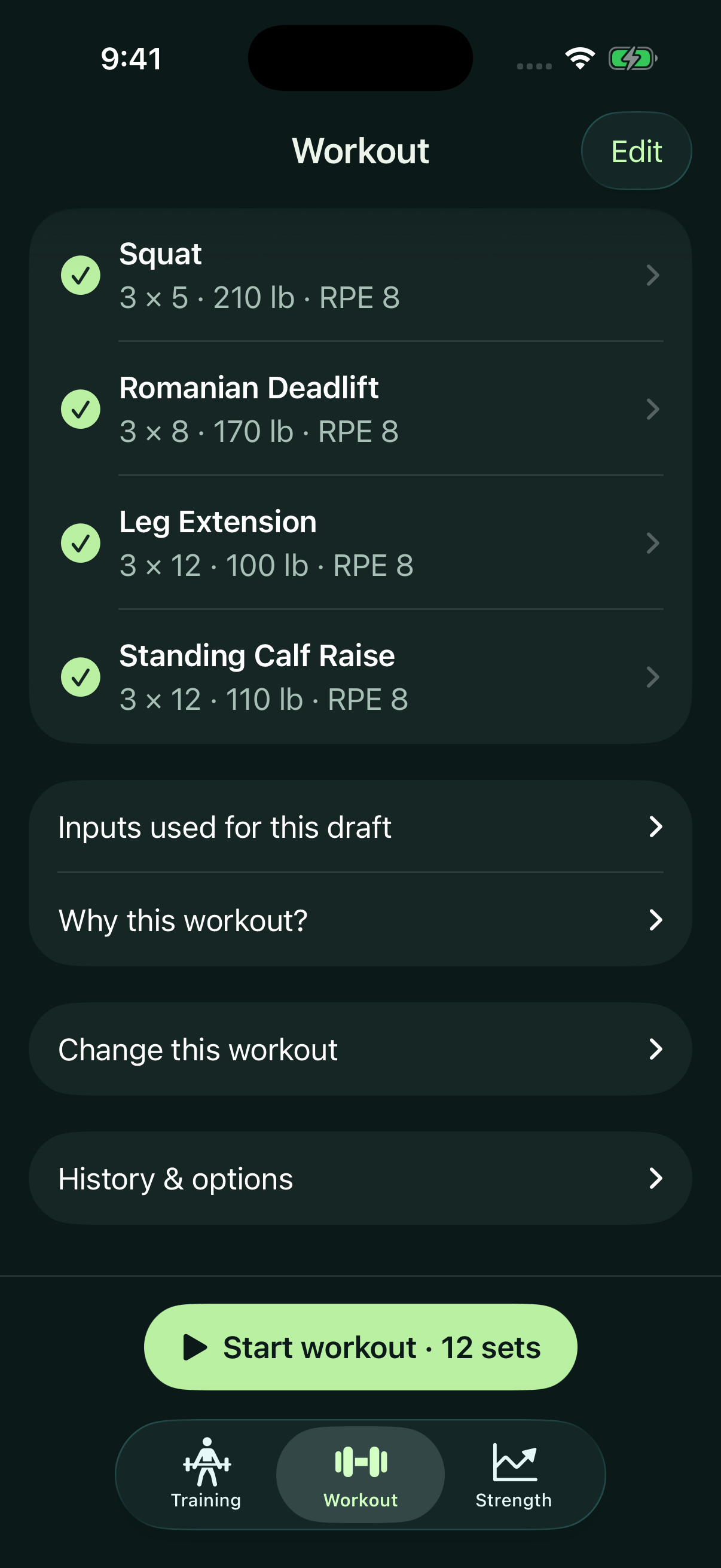
Make the plan yours.
Tap a lift to edit it. Uncheck an exercise you want to leave out.
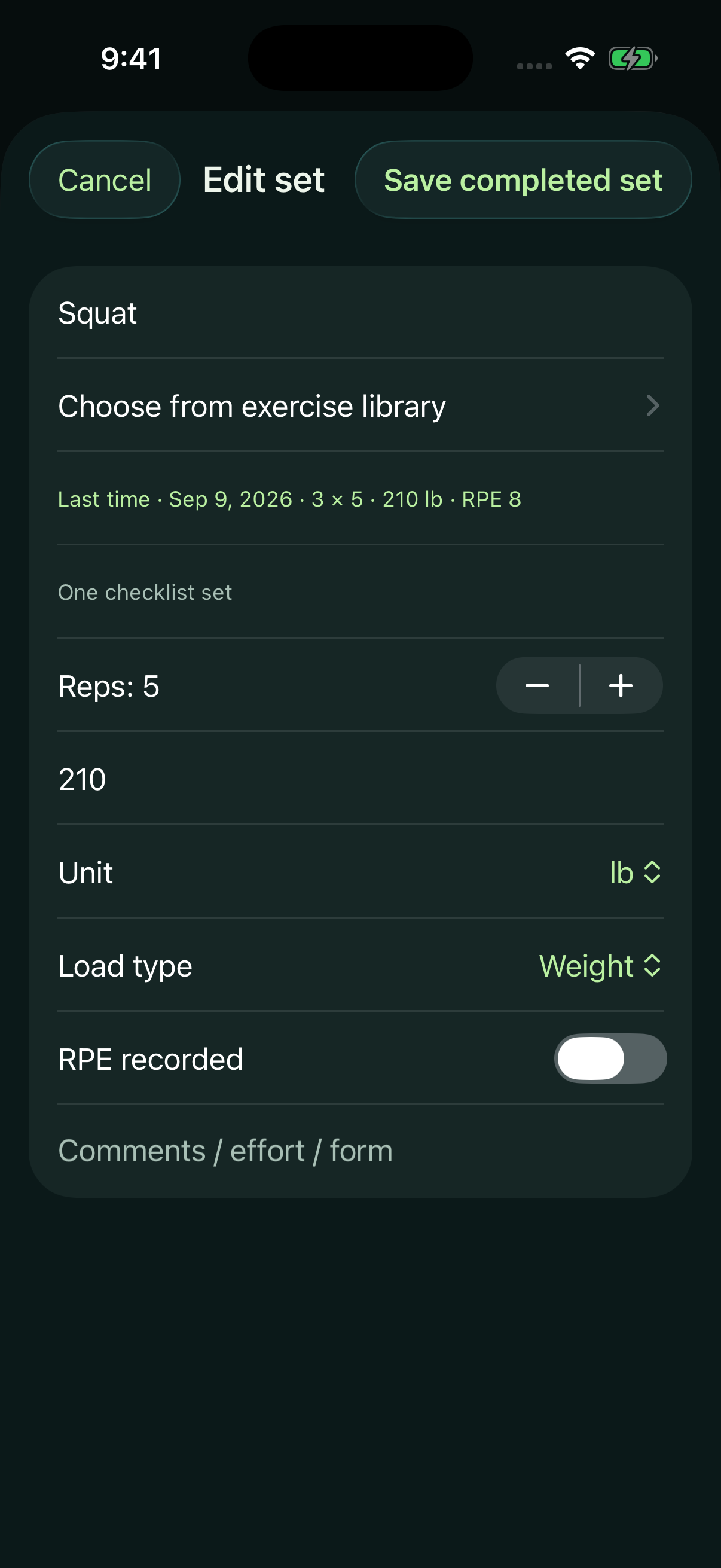
Log what happened.
See last time’s set. Confirm today’s reps and load, or change them.
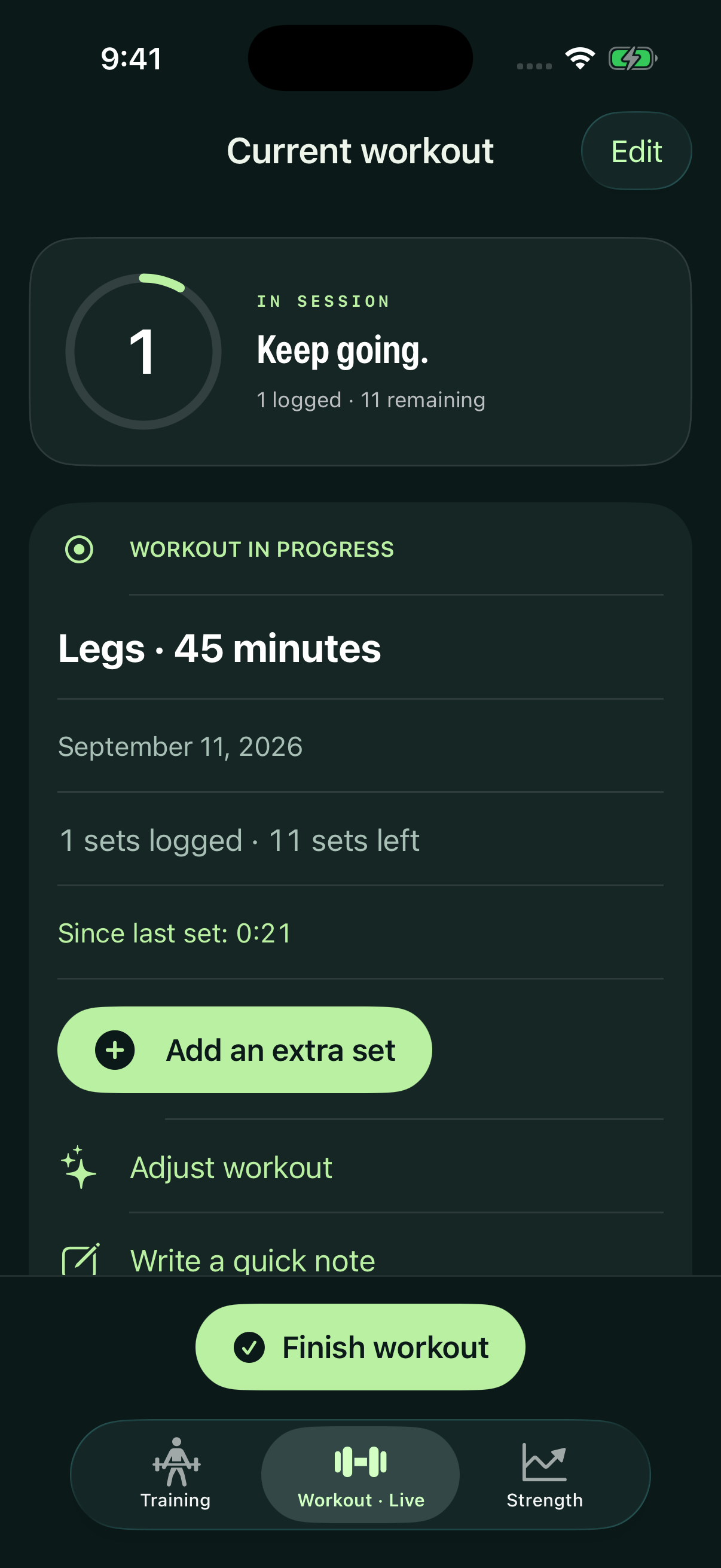
Keep moving.
Track rest, add a set or adjust the workout. Finish to update your history.
Sample checklist shown, not a live AI response or a training prescription. Coach access requires an internet connection, consent and an enabled allowance.
Twelve weeks.
Worth another look.
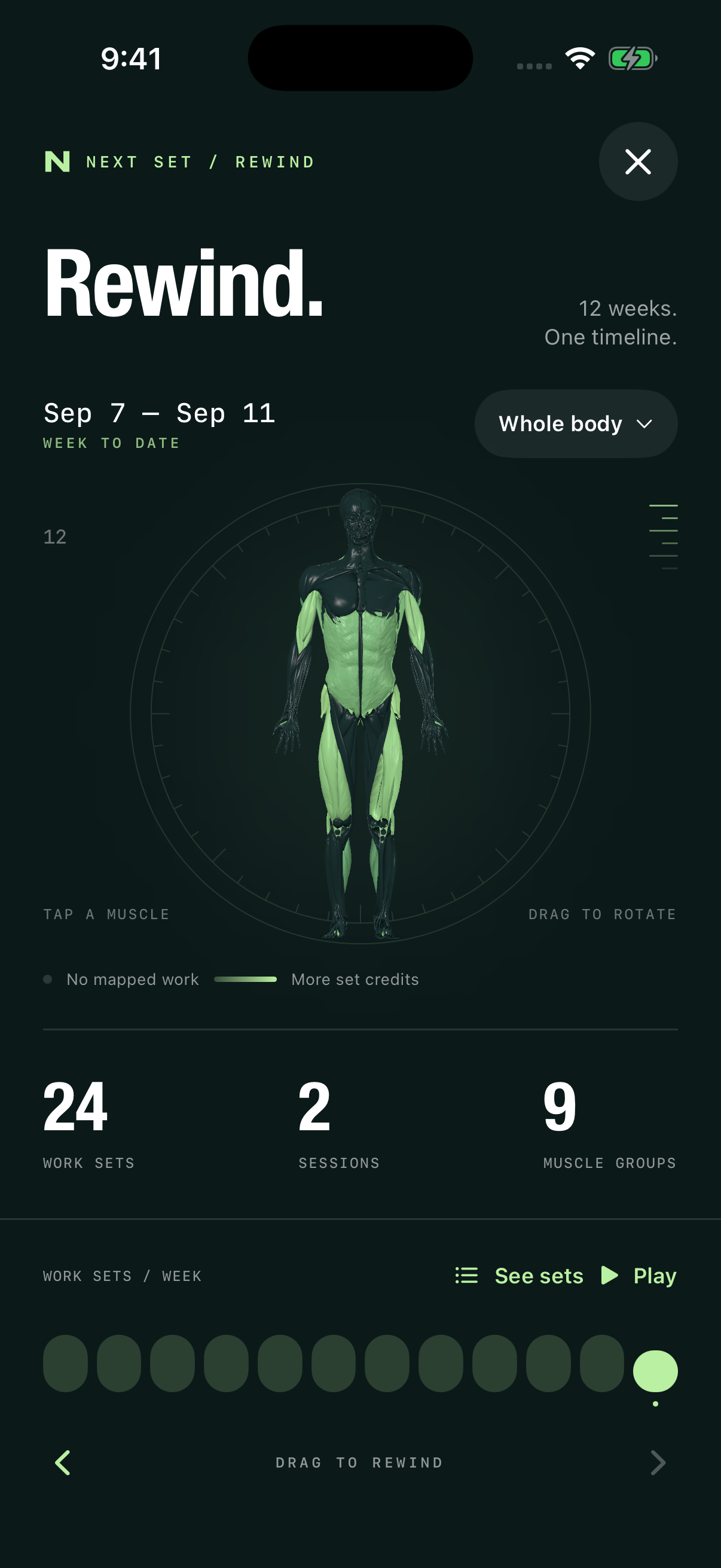
Replay your training coverage, explore strength estimates at different rep targets, and open the exact workout behind a number.
Rewind the work.
Move through twelve weeks. Inspect a muscle and the sets mapped to it.
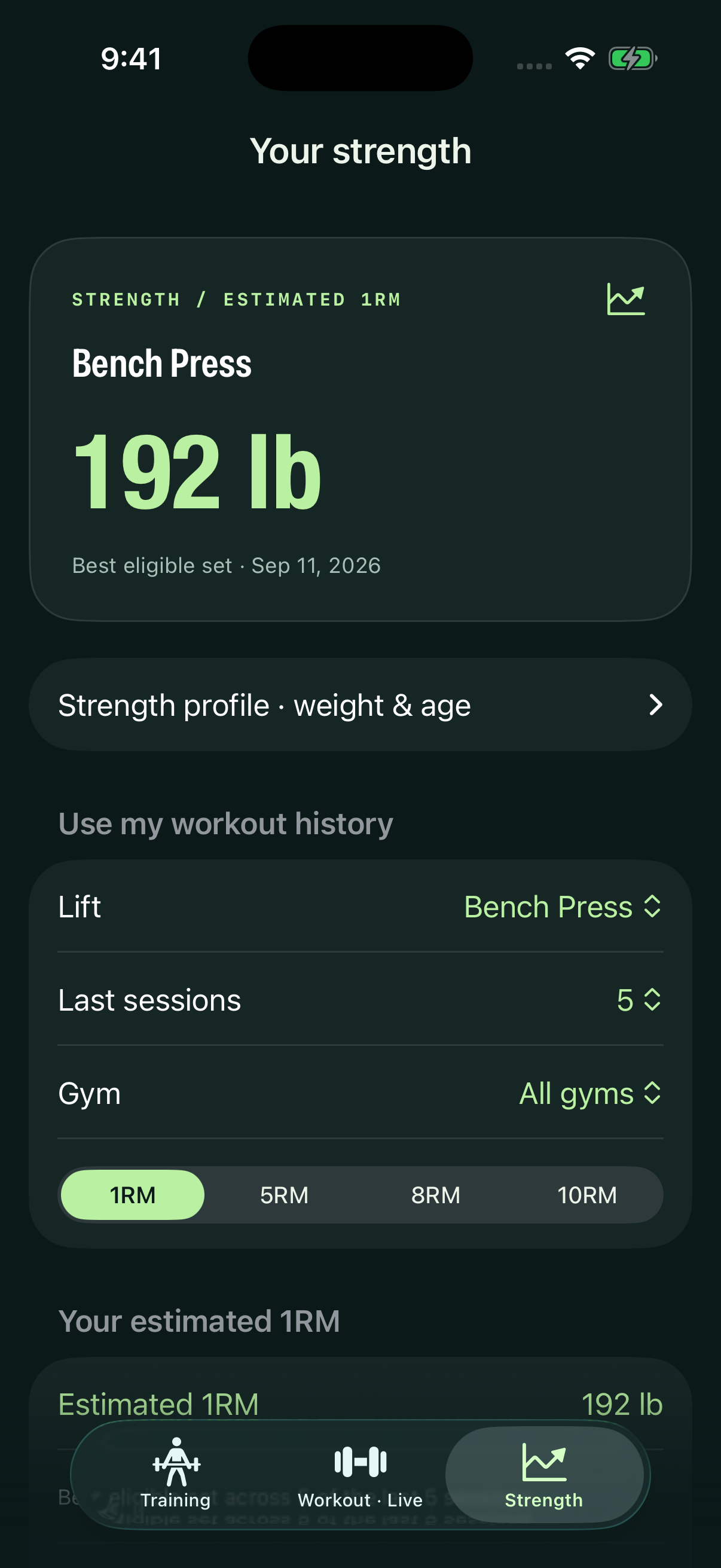
Put a number on it.
Use recent sessions and your strength profile. Switch between estimated rep targets.
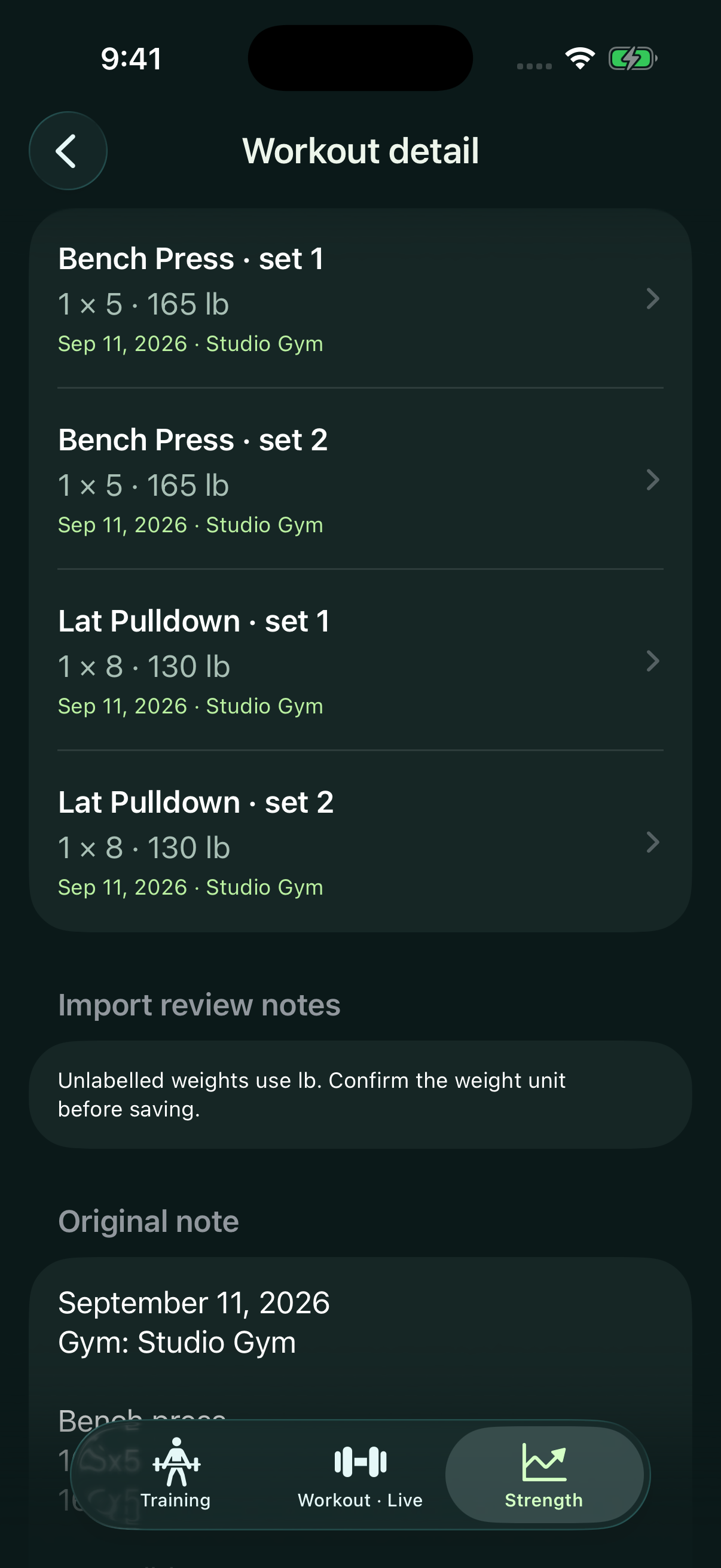
Check the source.
Follow an estimate back to its recorded sets and original workout note.
The muscle map shows training coverage, not muscle size or recovery. Strength figures are estimates. Fictional sample progress does not represent expected results. Anatomy: Z-Anatomy / BodyParts3D · hpfrei · CC BY-SA 4.0.